License Management and Access Control
Choose the Plan That Fits Your Needs
GPTfy offers three license types to match your organization's requirements:
- Starter — Ideal for trying out GPTfy with limited usage.
- Pro — Expanded features for growing teams.
- Enterprise — Full access to all premium capabilities and automation tools.
How to Check Your License
After installing GPTfy:
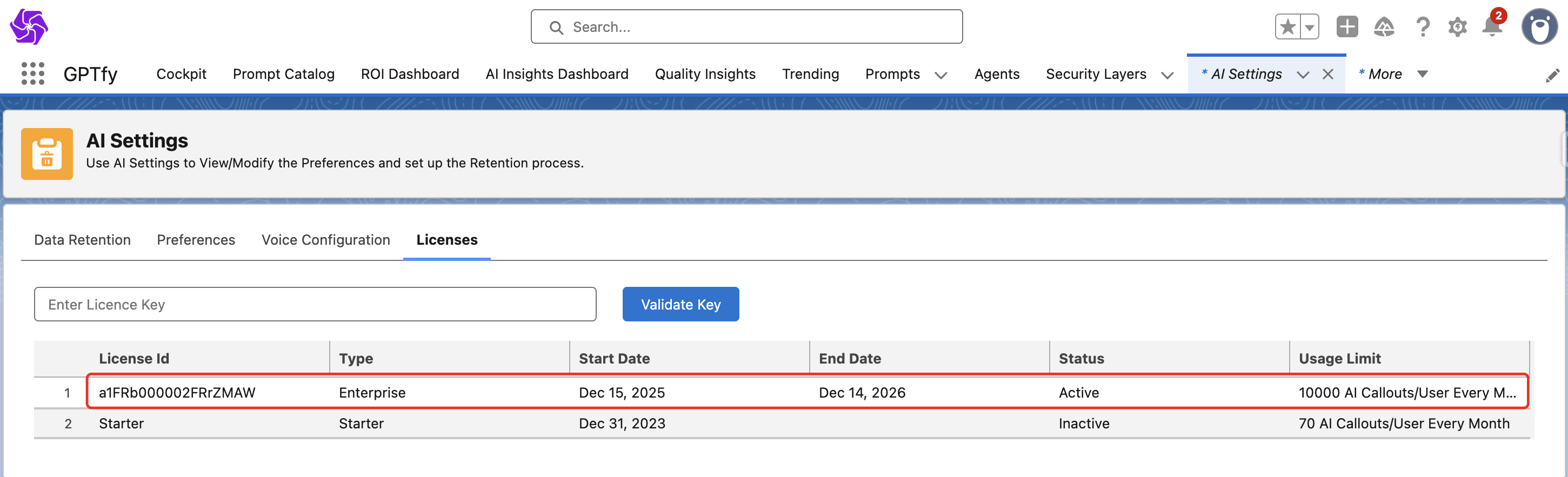
- Navigate to the Cockpit.
- Click on the Advanced –> AI Settings card.
- Under the Licenses tab, you'll find your current plan, license key (if activated), and usage details.
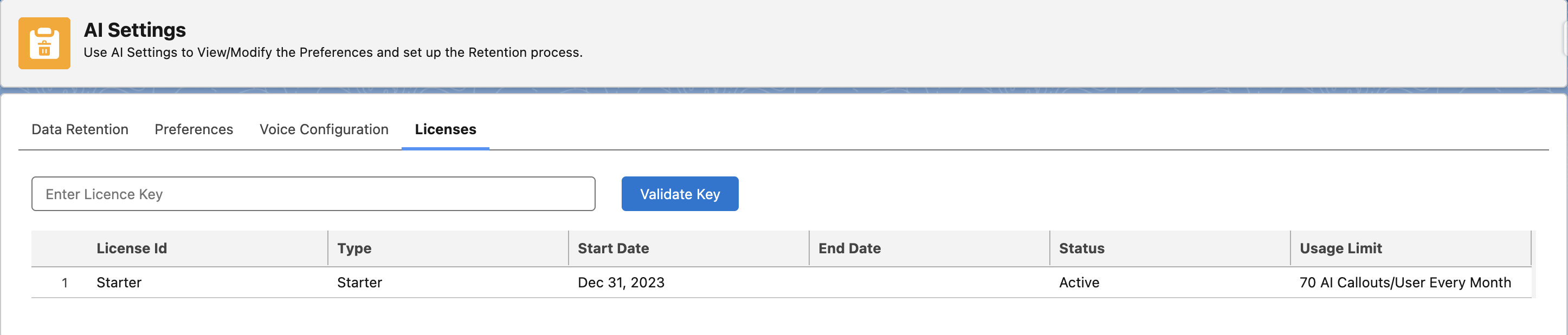
Note: If you’re on the Pro license, you might see feature tiles marked “Upgrade to Enterprise” when trying to access Enterprise-only features.
License-Based Feature Access
| Feature | Starter | Pro | Enterprise |
|---|---|---|---|
| Prompt Catalog | ✅ | ✅ | ✅ |
| ROI / AI Insights Dashboards | ✅ | ✅ | ✅ |
| API Data Sources | ❌ | ✅ | ✅ |
| AI Mass Processing | ❌ | ❌ | ✅ |
| AI Agents | ❌ | ❌ | ✅ |
Note: To compare all features by plan, visit the GPTfy Pricing Page.
How to Upgrade Your License
To access premium features, follow these steps:
- Contact the GPTfy support team at support@gptfy.ai.
- Once your upgrade is processed, you’ll receive a license key.
- Go to Cockpit → Advanced → AI Settings → Licenses.
- Paste the key and click Validate Key.
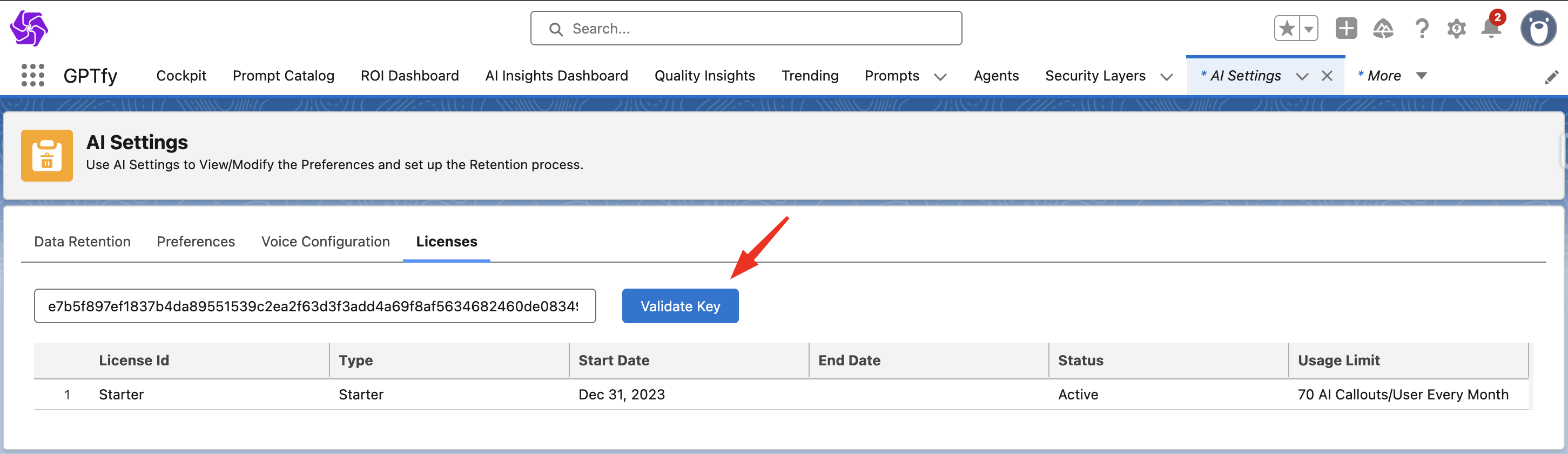
If successful, your license status and active dates will be updated automatically.